
What is Neurus
Neurus is one memory for all your agents — fed by your data, owned by you. It is the intelligence layer over agent memory on Walrus: you ingest notes, files, and on-chain data, then share, ask, and act on them. Everything you capture is stored durably on Walrus and stays yours.
This dashboard is both a developer console for inspecting agent memory and a consumer second brain. The sections below walk through every tab and how to use it.
Getting started
Three steps take you from an empty memory to a grounded answer.
Capture something
Watch it land
Ask your memory
Core concepts
Neurons
A neuron is a single unit of memory — a person, a note, a file, a chunk of a file, an insight, or a commitment. Each type is colored consistently across the app:
Sets
A set is a named collection of neurons — your workspace boundary. The active set is shown in the top-left breadcrumb and switched from the sidebar. Ask, Neurons, and the Network all scope to the active set.
Trust & durability
Every neuron carries a trust level (who vouches for it) and a durability state (whether it is confirmed on Walrus).
Neurus CLI
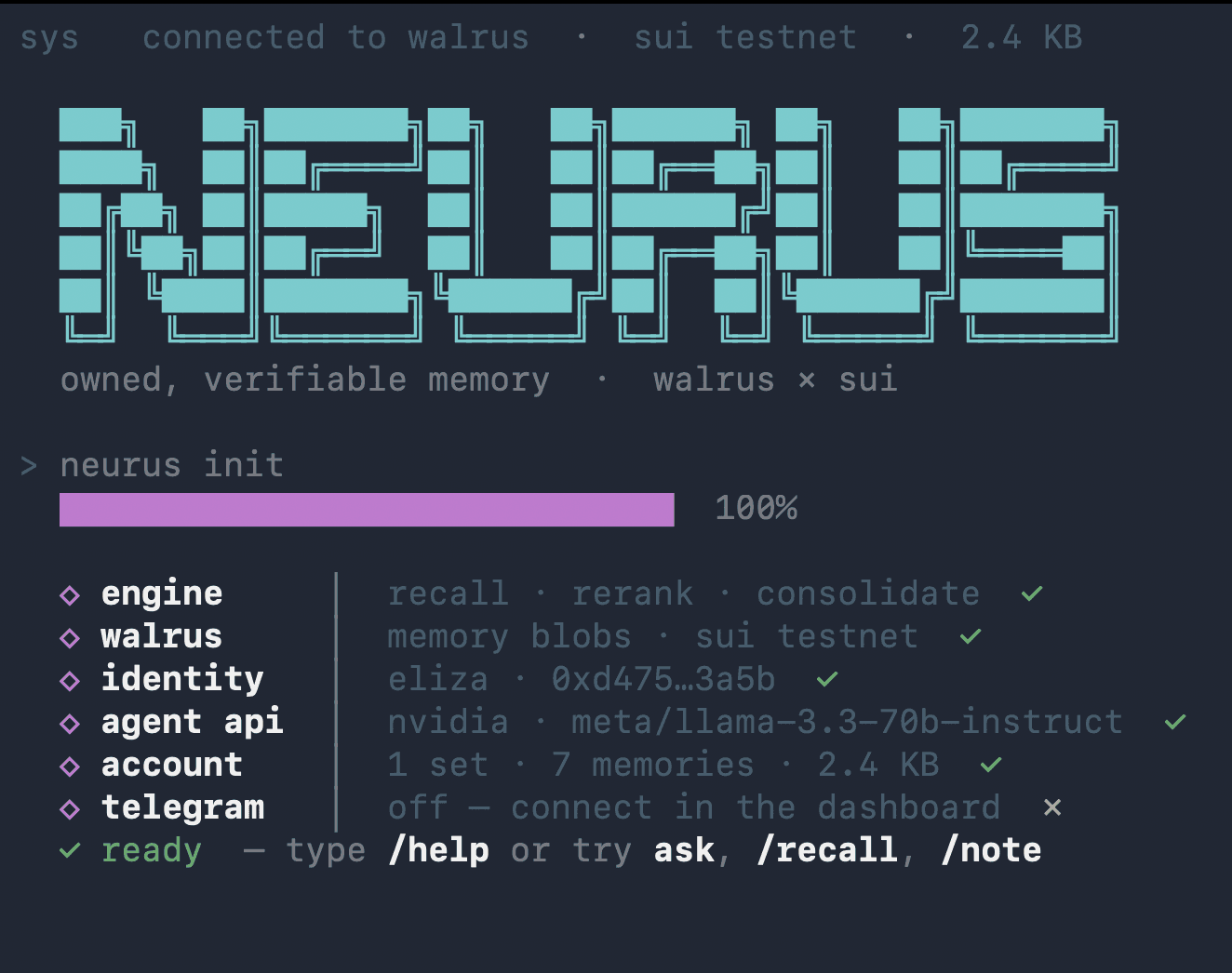
The same owned memory, in your terminal — no browser, no account. One command births an agent with its own Sui wallet, and that wallet address becomes its memory namespace on Walrus.
npm install -g neurus
neurus
On first run it walks you through two steps, then sets up your memory automatically:
Pick a model provider
~/.neurus/config.json.Create or import a wallet
suiprivkey1… key. The address namespaces your memory and signs every share.Memory account, automatic
~/.neurus/mcp.json.Then you land in the agent. Type to ask; use slash commands for everything else:
> Met Sarah at the offsite — design lead, I owe her the deck Friday.
> what do I owe Sarah, and when?
neurus › You owe Sarah the deck, due Friday. [1]

/note <text>      remember a note (extracts people, facts, commitments)
/add <path>  @    upload a file or folder to Walrus and index it
/recall <q>       show the memories matching a query
/plan <goal>      build a plan grounded in your memory
/share [name]     seal this set into a shareable feed → shareId + blobId
/grant <0x…>      grant a Sui address read access to your last feed
/follow <blobId> <shareId>   import a feed shared with you
/whoami  /model  /set <name>  /help  /exit
Run one-offs without the REPL — neurus note "…", neurus add ./report.pdf, neurus ask "…", neurus reflect, neurus whoami. It also reads plain English: “share this set with 0x…” works without any flags.
Overview
The landing tab. When your set is empty it shows a three-step onboarding; once you have neurons it shows live stats — total neurons, pending writes, people, insights — and a memory-composition bar broken down by neuron type. Use it as your at-a-glance health check.
Overview
Open →Ask this memory shortcut.Neurons
A live list of every memory written to the active set — your trace view. Each row shows the neuron type, trust dot, and Walrus durability dot. Filter by type and forget any neuron you no longer want. This is where you confirm that ingestion actually landed.
Neurons
Open →Ask
A grounded research chat over your memory. Type a question and Neurus retrieves the most relevant neurons, reranks them, and streams an answer token by token. Each claim is cited as [n] — click a citation to highlight the exact evidence card it came from.
Evidence cards show the neuron type, trust, a relevance bar, and the rerank score, so you can judge why the answer says what it says. A grounding badge tells you how strongly the answer is supported; if nothing matches well, Neurus abstains rather than guessing.
Ask
Open →Second Brain
The fastest way to capture. Drop in a thought, a person, or a fact and Neurus extracts and remembers it as neurons — people, facts, intros, and commitments, separated automatically. Run Reflect to consolidate raw notes into higher-level insight neurons — the system thinking over what you have stored.
If you signed in with Google, Sync calendar pulls your next 30 days of events into the set as memory you can ask about, and a note that describes a meeting can be pushed straight to your Google Calendar.
Second Brain
Open →Sets
Create and manage your sets. From here you can switch the active set, control its visibility, mark a set as verified, and index an existing Walrus blob into a set. Sets are how you keep different projects or knowledge bases separate.
Sets
Open →Datasets
The tab that publishes real blobs to Walrus. Bring in content from many sources: upload a file (txt, md, csv, json, pdf, docx), crawl a web page, pull a GitHub repo, ingest a local folder, or import an existing Walrus blob by its blob id. Each source is chunked, embedded, and stored with its Sui object id so it becomes askable.
Every dataset card shows a live Memory Health badge — whether it is certified on Sui and how many epochs until it expires — a Walruscan link, and a Renew action to refresh its storage epochs before it lapses.
Turn any dataset into an embeddable Ask AI widget: name it, lock it to your domains, and paste one <script> tag on your site. Visitors get grounded, cited answers — read-only, scoped to exactly the data you chose.
Datasets
Open →Agents
Define focused Q&A agents bound to your data. Name an agent, describe what it does, and choose the dataset it works on — the whole set or a single dataset inside it. Each agent answers, with citations, only from the data you scoped to it, and you can ask it inline right from the tab.
Agents
Open →Network & workflows
The Network tab runs your agents over live data. Pick agents to run — your own dataset-bound agents that ground a workflow in your notes, plus ready-made ones for protocol TVL (Aave, Uniswap, Lido, Curve, Compound), asset prices (SUI, ETH, BTC, SOL), and DeepBook. The runner ticks on your interval, writes observation neurons, consolidates them into trends over time, and can send a grounded report or a daily brief to Telegram.
You don't have to configure it by hand. Describe what you want in plain language — for example, “for the next 5 days send Telegram updates on SUI based on my trading-rules strategy, every minute” — and Neurus compiles it into a running workflow: the strategy set to ground in, the assets and protocols to track, the interval, and the duration.
Write accesscontrols who can write to the shared set — the workflow's agents plus anyone you grant; revoke one and its next write bounces. Plays let you log positions that the analyst grades against your strategy each cycle, writing a post-mortem when you close.
Network
Open →Sharing with Seal
Share a set across users and agents with confidential, revocable read access. Neurus seals a set snapshot to Walrus using Mysten Seal (threshold encryption) and an on-chain allowlist policy: you grant a reader's address, they can decrypt; you revoke, and their next decrypt is denied.
The server never holds your keys — encryption and Walrus storage happen server-side, but creating the share and granting, revoking, or decrypting all run from your own wallet. Your memory stays yours, even when shared.
Model & provider
The model and provider used for answers and reflection are shown in the top bar — click the pill to open settings and switch them. Ask, Second Brain reflection, and workflow analysts all use the model you select here.
The free default runs on NVIDIA at no cost. Premium models are routed through OpenRouter and unlocked once with a small on-chain payment on Sui; after that they're flat-rate. If a free request ever hits a rate limit, Neurus silently falls back to a free model rather than showing you an error.
Tip: press ⌘K in the top bar to search and jump between tabs quickly.
MCP, API & widgets
Neurus is the same memory however you reach it. Beyond the dashboard and CLI, plug it into your own agents and tools:
MCP server
The CLI ships an MCP server so Claude Code, Cursor, or Claude Desktop can read and write your Walrus memory as tools — list_sets, recall, ask, remember, and the feed-sharing tools.
neurus setup
claude mcp add neurus neurus-mcp --scope user
HTTP API
Point any agent at the /v1 HTTP API — remember, recall, ask (streaming), retrieve, forget, and more. Identity is resolved server-side; all dashboard calls are proxied through /api/neurus/.
A2A & widgets
Any set can answer as a discoverable Agent2Agent endpoint, or be embedded as a read-only Ask AI widget on your own site (created in Datasets) — one script tag, origin-locked.